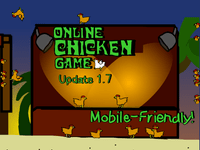
What is Online Chicken Game 1.5?
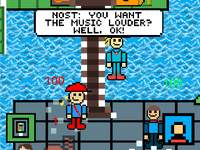
Online Chicken Game 1.5 is a colorful and chaotic multiplayer experience that has rapidly gained widespread popularity across the surround gaming world! With this update, the developers introduced Theatre mode for the first time-ever in the central seat of creativity: Pristine Shores. Here, players can watch others perform delightful skits or choose to showcase their comedic timing. A hub for creativity, competition, and frivolity, it should be on everyone's Gaming to-try list if one's ever in need of laughs or a challenge.
How to Play
The gameplay is simple yet addictive. You can move your character around with arrow keys or WSAD keys. Z is available for crouch (alternative crouch) while SPACE is for gliding. Press N to reveal all players' names, and holding down either E or R brings up the Emoji menu to keep the fun going. Hover your mouse over a player to see their individual name, and if you get stuck, press Q and R to restart the level.
Another thrilling element is the special moves: High Jump (hold down and press Up), Long Jump (run then quickly press Down, then Up), Slide (on a slope, press Down and Left or Right), and Wall Jump (jump against a wall, then press Up again). They are all vital in scavenging through the treacherous tree you must navigate and outrun your foes.
Tips & Tricks
- Learn Those Special Moves!: Practice your High Jump, Long Jump, Slide, and Wall Jump until you master them. They will provide you with an advantage for reaching sneaky spots and putting other players on the back foot.
- Use Environment to Your Advantage: The Theatre mode tricked the environment with obstacles and inflammable platforms. They have walls and slopes just begging to be manipulated with Wall Jumps and Slides.
- Talk to Other Players: If you're in a group, use Emojis to coordinate your actions with each other, which brings an enjoyable point of interaction.
- Keep Alert: Observe what your enemies are doing on the move to anticipate their next actions.
History
Online Chicken Game has been a hit since it was first launched, with regular updates bringing new features and improvements. With version 1.5, the much-awaited Theatre mode finally landed. The addition has truly increased the engagement of the players, turning the game into a creative and competitive platform. The developers have shown willingness to accommodate community feedback to keep the game interesting.
Play Unblocked
While Online Chicken Game 1.5 is widely accessible, some schools and workplaces might have restrictions. If you find the game blocked, don’t worry! There are several ways to play unblocked. You can use a to mask your IP address and access the game, or try playing on a different network. Additionally, some browser extensions can help bypass restrictions, allowing you to enjoy the game without any hassle.
Game Developer
The Online Chicken Game 1.5 was created by a small group of passionate gamers and developers to develop a fun, accessible, and engaging multiplayer experience. From their dedication toward the game, evident in its frequently updated version and the present community around it, the creators have really kept the game alive for years.
Game Platforms
Online Chicken Game 1.5 is available on PC, macOS, and Linux, ensuring that everyone has an opportunity to play this game no matter the way his or her desktop is configured. The developers have also been looking into expanding the game to mobile devices, although the complete experience is now desktop-optimized.
How to Play Unblocked
If you’re still having trouble accessing Online Chicken Game 1.5, here are a few more tips:
- Proxy Server: Running a Proxy Server can significantly lift the restrictions, whilst allowing you to enjoy Online Chicken Game.
- Try Another Device: If you possibly can, attempt playing on a device that doesn't have any kind of restriction on it.
- Seek Permission: It's in your interest to ask at your workplace or school if they can provide you access to the game.
FAQ
Q: Is Online Chicken Game 1.5 free to play?
A: Yes, the game is fully free to play with absolutely no hidden commissions or in-app purchases.
Q: Can I play with friends?
A: Of course! Theatre mode is made for multiplayer fun, so you can get your friends involved in the action.
Q: Are there any age restrictions?
A: The game is open to all ages, but if you happen to be below 18, then you might want to check with your parents or guardians.
Q: What are the system requirements?
A: It's optimized for the vast majority of modern PCs, but if you want the exact system requirements, then check out the official website.
Online Chicken Game 1.5 is a great addition to the gaming world because it blends creativity, competition, and fun. Whether you're watching someone do a performance or getting in on the action, it guarantees hours of good times. Therefore, pull up your friends, polish those special moves, and dive into Theatre mode in Pristine Shores!
Play Online Chicken Game 1.5 on your Mobile

Span the QR Code with your mobile device camera to play Online Chicken Game 1.5
You can enjoy this game on mobile and tablet(such as iPhone, IPad, and Android device)