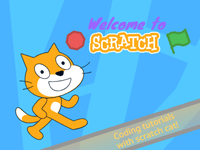
What Is Welcome Scratchers! Scratch Tutorial?
Welcome Scratchers! Scratch Tutorial is a colorful, ever-lively project encouraging new users to enter the world of Scratch, a famous visual programming language developed by MIT. The tutorial, given by the witty Scratch Cat, instructs beginners about the platform and is ideal for them to begin their creative endeavors. If you're up to animating, games, or interactive stories, this is an awesome beginning through which you can set your imagination free with very few basic blocks of coding learned in a fun manner.
How to Play
While Welcome Scratchers! Scratch Tutorial may not be a game in the strictest sense, it is very much an interactive learning experience. Follow along with Scratch Cat while he demonstrates the use of Scratch's various blocks and tools. You can also get creative with your projects by choosing sprites, backdrops, and sounds to test your ideas using this block-based coding system. The tutorial encourages you to experiment, so try all kinds of combinations to see what's best for your project.
Tips & Tricks
- Start Simple: Focus on adding little complexities to projects as you get comfortable with the various features of Scratch.
- Explore the Community: Look through projects by other users for inspiration, seeing how they used the capabilities of Scratch.
- Use the Help Menu: Scratch features a comprehensive help menu, which you can turn to for guidance on more advanced topics when you're ready for it.
- Share Your Creations: Show the world what you have built and start building a community that gives you feedback and compliments.
History
Scratch was started in 2007 by the Lifelong Kindergarten group at the MIT Media Lab. It was created so that young people can learn to think creatively, reason systematically, and work collaboratively while developing a foundation for computer science. Since then, the platform has evolved into a world community where millions of users share and create their projects, currently one of the leading tools for teaching programming to children and and teenagers worldwide.
Play Unblocked
Because Welcome Scratchers! Scratch Tutorial is a module on the Scratch platform, it can be played on any device as long as it is equipped with Internet connectivity. Scratch is mostly unblocked in most educational institutions, a proper resource for the schools and classrooms. Just go to the Scratch website and sign in or create an account.
Game Developer
The Scratch platform was created by MIT Media Lab, specifically the Lifelong Kindergarten group. It is designed for users from all age groups to be fun and engaging so that programming becomes a creative activity.
Game Platforms
Scratch is a web-based platform that can be accessed on computers, tablets, and smartphones via web browsers. There is no official mobile app to create projects er thus creating on mobile can only be done through browsers.
Frequently Asked Questions
What is Scratch?
A visual programming language and online community developed by MIT aimed at teaching children to code and let them express themselves creatively.
How do I create my own project on Scratch?
Go to scratch.mit.edu, sign in or create an account, and click on the "Create" button. From here, you pick sprites, backgrounds, and sounds, and utilize the drag-and-drop style block coding to form the basis of your project.
Can I share my project with others?
Absolutely! Once you have finished making your project, you can use the Share button to make it public for the whole Scratch community to see. This way, other users can search for your project, comment on it, and even remix it.
Is Scratch free to use?
Yes, Scratch is fully free-to-use. Scratch allows you to create, share, and explore projects for free.
How old do I have to be to use Scratch?
Scratch welcomes all users ages 8 and above; however, anyone who is interested in learning to code and producing digital projects can use Scratch.
Play Welcome Scratchers! Scratch Tutorial on your Mobile

Span the QR Code with your mobile device camera to play Welcome Scratchers! Scratch Tutorial
You can enjoy this game on mobile and tablet(such as iPhone, IPad, and Android device)